Ir al contenido principal

Install Adobe AIR on Ubuntu 12.04 LTS Precise Pangolin


Hello readers! Good to see you again. Today, I'd like to write a step-by-step guide on how to install Adobe AIR on Ubuntu 12.04 LTS Precise Pangolin. Adobe AIR (Adobe Integrated Runtime) is a cross platform application runtime which allows us to run Rich Internet Application (RIA) on Windows, Linux, Mac, and even mobile devices.


First thing first, please download the Adobe AIR installer by running the following command:
  • wget http://airdownload.adobe.com/air/lin/download/latest/AdobeAIRInstaller.bin
Once downloaded, you need to add "execute" permission to the installer:
  • sudo chmod +x AdobeAIRInstaller.bin
The last thing to do is executing the Adobe AIR installer:
  • sudo ./AdobeAIRInstaller.bin
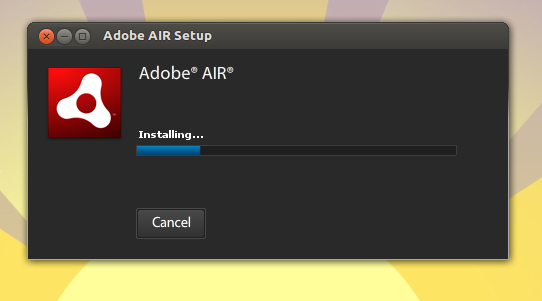
You may encounter this following error message while installing:


To solve this kind of problem, please run the following command:
For 32bit system:
  • sudo ln -s /usr/lib/i386-linux-gnu/libgnome-keyring.so.0 /usr/lib/libgnome-keyring.so.0
  • sudo ln -s /usr/lib/i386-linux-gnu/libgnome-keyring.so.0.2.0 /usr/lib/libgnome-keyring.so.0.2.0
For 64bit system:
  • sudo ln -s /usr/lib/x86_64-linux-gnu/libgnome-keyring.so.0 /usr/lib/libgnome-keyring.so.0
  • sudo ln -s /usr/lib/x86_64-linux-gnu/libgnome-keyring.so.0.2.0 /usr/lib/libgnome-keyring.so.0.2.0
Then run the installer again.


If everything done well, you should be able to access Adobe AIR application installer in Unity Dash.


Enjoy :)

Entradas populares de este blog

ISO Master, crea y modifica tus ISO’s fácilmente

<a href="http://ubuntu.com/getubuntu" title="Descarga Ubuntu"> <img src="http://www.marcelor.com/wp-content/uploads/199_164_ubuntu.png" alt="Descarga Ubuntu."/> </a> Ha sido liberada la versión 1.3.7 de ISO Master, aplicación que te permite crear y modificar archivos ISO9660 (imágenes ISO). Principales funcionalidades: Crear una imagen ISO desde el principio. Añadir o eliminar archivos y directorios en o desde una imagen de CD. Crear CDs de arranque utilizando diferentes tipos de registros de arranque: no emulación (isolinux, Microsoft Windows), 1,2, 1,44 y 2,88 de emulación de disquete. Apoyo a Rock Ridge y nombres de archivo Joliet. Iso Master es una aplicación de código abierto y está disponible en versión linux y windows. No disponible aún en los repositorios de Ubuntu http://www.littlesvr.ca/isomaster/download/

Reproducir Full-HD con VLC

Antes que nada aclaro que no van a poder ver CUALQUIER VIDEO en Full-HD. Depende mucho el bitrate. Probé con varios trailers y anda bien, pero videos de mayor bitrate van a seguir dando saltos. El problema insalvable es que el procesador Intel Atom N270 a 1.6ghz no tiene el poder de proceso necesario para poder ver sin problemas videos más pesados. Con probar de todas formas no se pierde nada, así que empecemos: Abrimos VLC . Nos dirigimos al menú Tools y Preferences. Abajo a la izquierda donde dice Show Settings cliqueamos en All . A la izquierda nos metemos en Input / Codecs > Video-codecs > FFmpeg . A la derecha tildamos Allow speed tricks , y donde dice Skip the loop filter for H.264 decoding , seleccionamos All. Abajo de eso, tildamos Hardware Decoding. Les quedaría así:

Heimdall: Odin Alternative That Runs On Linux (Tool To Flash ROMs On Samsung Galaxy S Devices)

Heimdall is a cross-platform (runs on Linux, Windows and Mac OSX), open source Odin alternative which uses the same protocol as Odin to interact with a device in download mode, that can be used to flash Android ROMs or Kernels onto Samsung Galaxy S phones. The application officially supports Samsung Galaxy S GT-I9000 (8GB) from UK and Galaxy S GT-I9000 (16GB) from Australia, but users have reported that it also works with the Captivate, Vibrant, Fascinate, Mesmerize, Epic 4G, Galaxy S 4G, Infuse 4G, GT-I9000T, Galaxy Tab (7 and 10.1 inches), Galaxy S II, and the international GT-I9000. And indeed, at least for Samsung Galaxy S II, I can confirm that Heimdall works as I've tested it myself. Before using Heimdall, remember that flashing has the potential to brick your phone so use it carefully! Flashing ROMs onto your device may also void your warranty! For the steps required to flash an Android ROM from Linux onto your Samsung device using Hei...