GTK themes need to be updated to work
with each new major GTK version, and because of this, some beautiful
themes available for GTK 3.2 or 3.4 like Zukitwo and others, don't work
with the latest GTK 3.6 available in Ubuntu 12.10 and other Linux
distributions.
There are, however, a few cool themes which work with the latest stable GNOME / GTK (3.6). Below
you'll find 8 GTK3.6 compatible themes which are available in PPAs /
repositories for Ubuntu 12.10 and work with both GNOME Shell and Unity.
Greybird, the default Xubuntu
theme, includes a Xfwm4 theme obviously, as well as GTK3 and GTK2
themes, so it can be used in Unity or GNOME Shell too and not just in
Xfce:


Ubuntu 12.10 users can install Greybird theme from the official Ubuntu repositories using the following command (the package contains some other themes, like Bluebird as well):
sudo apt-get install shimmer-themesFor Ubuntu 12.04 (GTK 3.4) and other Linux distributions, see THIS article.
Adwaita X Dark is a GTK theme based on Adwaita, which includes GTK2, GTK3, Mutter/Metacity and Xfwm4 themes:


Install Adwaita X Dark theme in Ubuntu:
sudo add-apt-repository ppa:webupd8team/themes
sudo apt-get update
sudo apt-get install adwaita-x-dark-theme
Adwaita X Light is a light variant of the Adwaita X Dark theme:


Install Adwaita X Light theme in Ubuntu:
sudo add-apt-repository ppa:webupd8team/themes
sudo apt-get update
sudo apt-get install adwaita-x-light-theme
For other Linux distributions, Adwaita X Dark/Light can be downloaded via Gnome-Look.
Evolve is a minimal light theme that works with GTK 3.6 and includes a GTK2 theme as well as an Xfwm4 theme:


Install Evolve theme in Ubuntu:
sudo add-apt-repository ppa:satyajit-happy/themes
sudo apt-get update
sudo apt-get install evolve-gtk-theme
For other Linux distributions, Evolve can be downloaded via Gnome-Look.
Gnomish Beige is a beautiful,
beige theme based on Adwaita. The pack comes with GTK2/3 (GTK 3.6
compatible) themes as well as a GNOME Shell theme:


To install Gnomish Beige theme in Ubuntu, use the following commands:
sudo add-apt-repository ppa:webupd8team/themes
sudo apt-get update
sudo apt-get install gnomishbeige-theme
For other Linux distributions, Gnomish Beige can be downloaded via Gnome-Look.
Gnomish Dark looks the same as
Gnomish Beige theme, except it uses dark colors. The pack, just like
Gnomish Beige, comes with GTK2/3 as well as GNOME Shell themes:


To install Gnomish Dark theme in Ubuntu, use the following commands:
sudo add-apt-repository ppa:webupd8team/themes
sudo apt-get update
sudo apt-get install gnomishdark-theme
For other Linux distributions, Gnomish Dark can be downloaded via Gnome-Look.
Gnomish Grey is yet another theme from the "Gnomish" series, which uses silver gray as the main color:
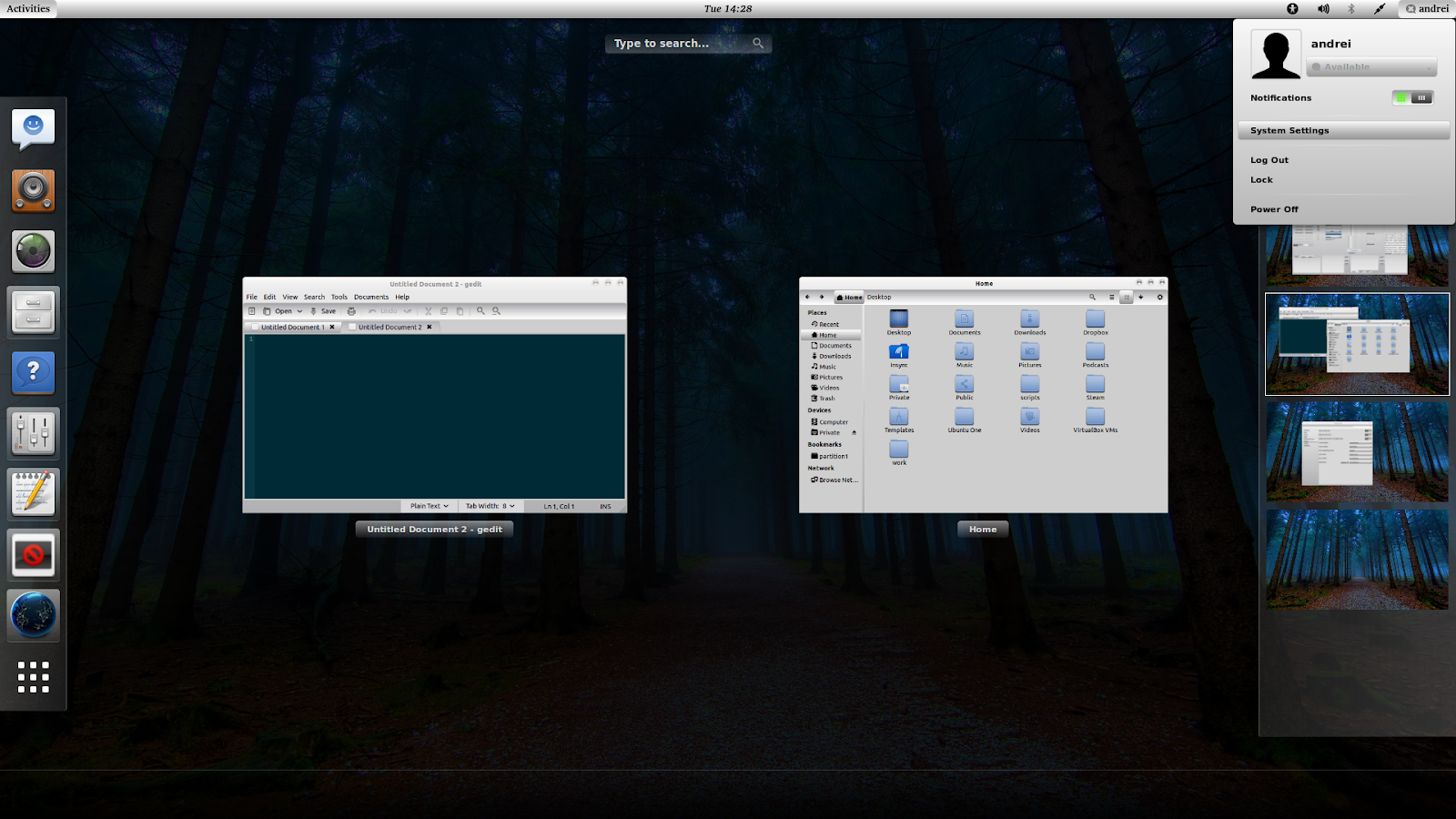


To install Gnomish Gray theme in Ubuntu, use the following commands:
sudo add-apt-repository ppa:webupd8team/themes
sudo apt-get update
sudo apt-get install gnomishgray-theme
For other Linux distributions, Gnomish Gray can be downloaded via Gnome-Look.
Faience
is a new GTK theme released by the Faenza designer. The pack includes
GTK2, GTK3 (compatible with GTK3.6) and GNOME Shell themes:

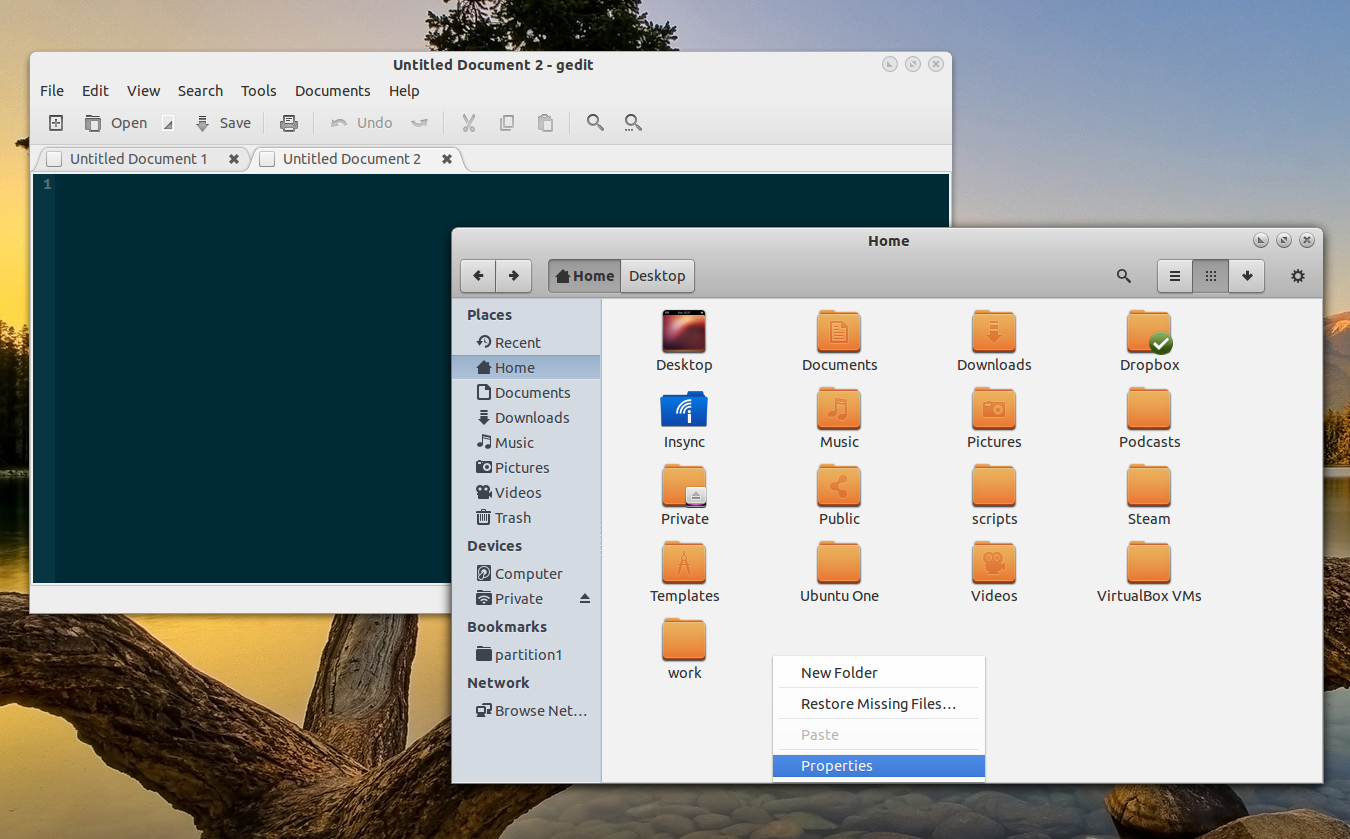

To install Faience theme in Ubuntu, use the following commands:
sudo add-apt-repository ppa:tiheum/equinox
sudo apt-get update
sudo apt-get install faience-theme
For other Linux distributions, download Faience theme from Gnome-Look.
To apply any GNOME theme, use GNOME Tweak Tool, Ubuntu Tweak, Unsettings or other such tools.
And a final, important note: in Ubuntu 12.10, there's an overlay-scrollbar bug
which causes some themes to display black widget areas. The only way
around this bug so far is to remove the "overlay-scrollbar" package.
Some of the themes in this post are available for GTK 3.4 / Ubuntu 12.04.